Pin to System Tray
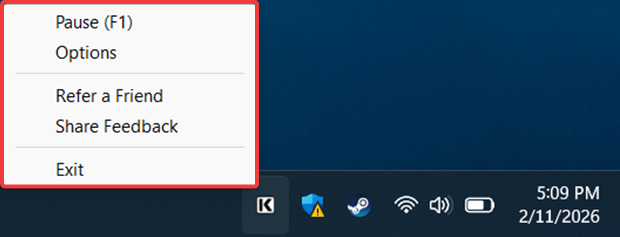
KText runs in the system tray (near the clock). To keep it visible, drag the icon from the hidden area (behind the up arrow) into the main tray for one-click access.
System Tray Menu
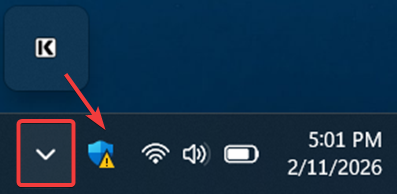
The KText tray icon gives you quick access to the main controls in one compact menu:
| Pause / Resume (F1) | Hotkey to hide/unhide the hover icon. |
|---|---|
| Options | Access your account, subscription, and the Prompt Builder. |
| Refer a Friend | Invite teammates to join and use shared prompts. |
| Share Feedback | Report issues or help improve the product. |